Raah
Account Deletion Guide
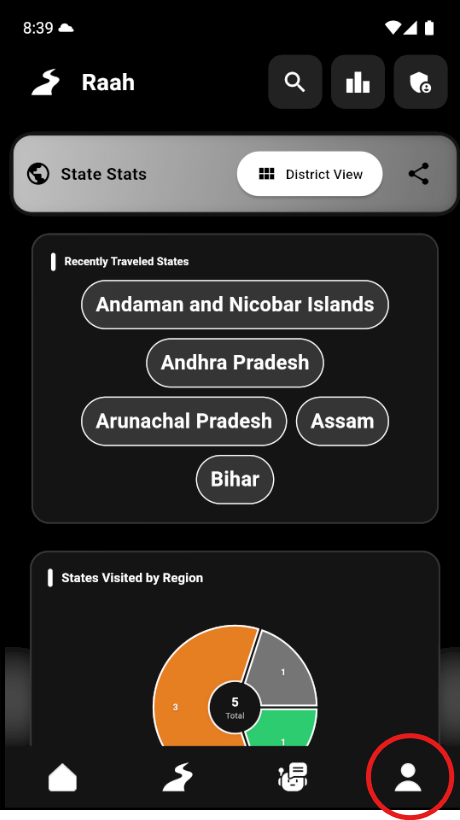
Step 1
Go to Profile Page
Navigate to your profile page in the Raah app
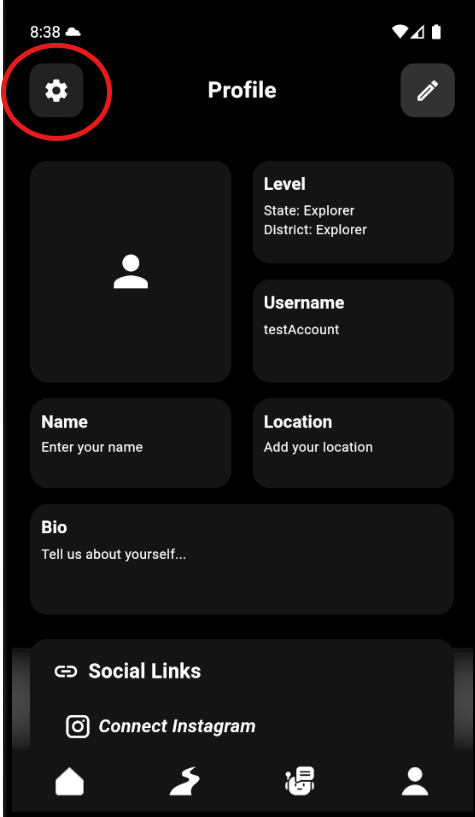
Step 2
Tap on Settings Icon
Locate and tap the settings icon in your profile page
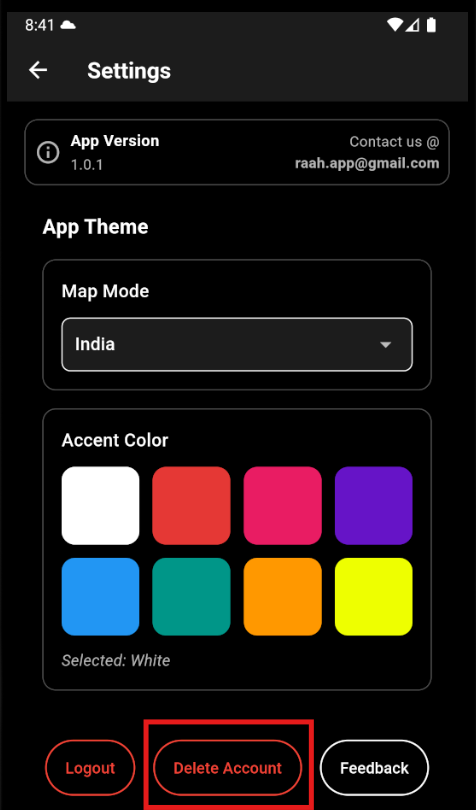
Step 3
Press Delete Account Button
Find and press the "Delete Account" button in settings
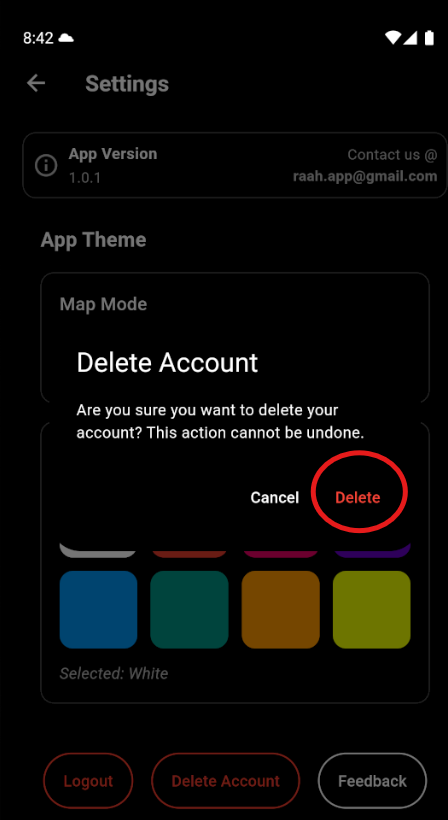
Step 4
Confirm Deletion
Confirm that you want to delete your account. Upon confirmation, all your data will be permanently and immediately deleted, including:
- • All uploaded images and media files
- • Personal information and profile data
- • Messages and communication history
- • Account settings and preferences
Alternatively, you can email us to request account deletion:
raah.app@gmail.com
Please include your registered email address in the request